

Set up model inputs
TensorViz needs a way to create your model and an example input for one forward call. It reuses a matching saved setup when one exists.
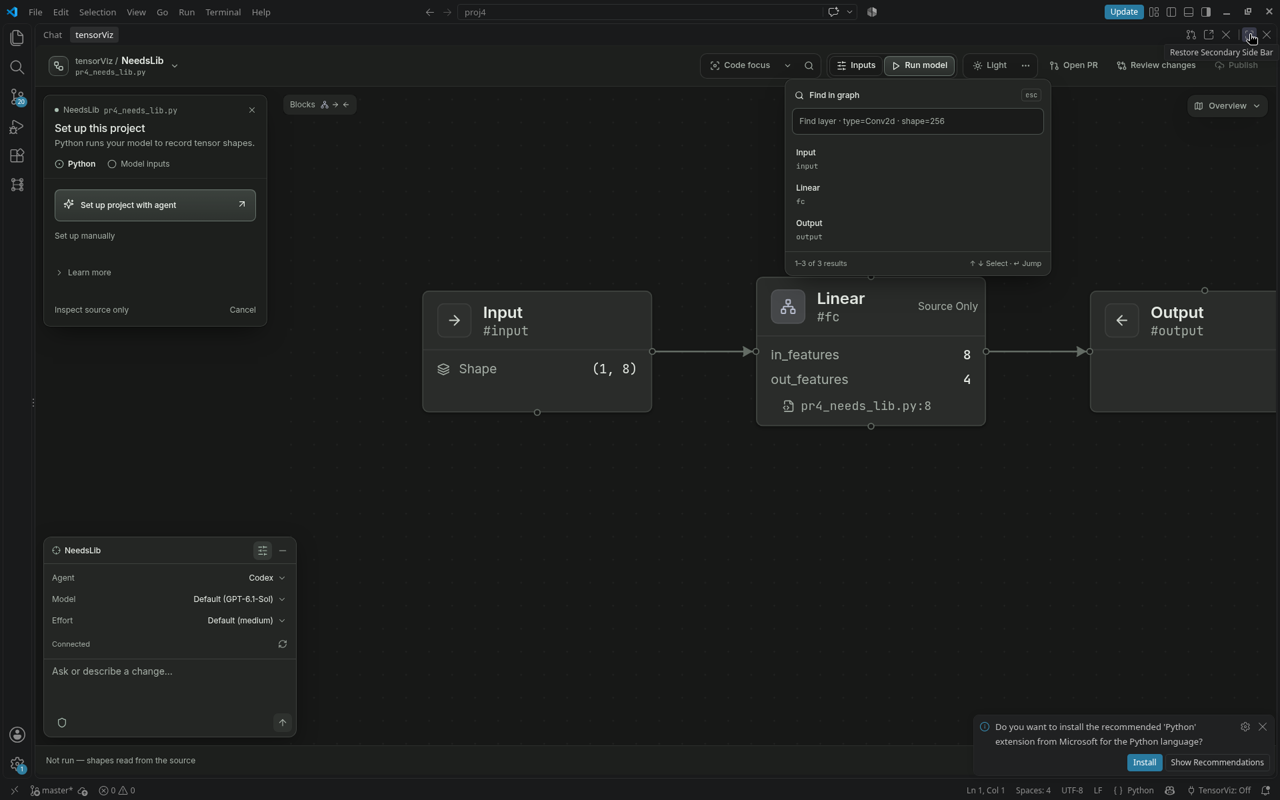
Complete the setup
The setup sidebar shows Python → Model inputs. Once Python is ready, the next step uses the same agent/manual choices. Learn more explains the saved configuration. If you close setup, choose Complete setup to return.
- Open the model with Open as Graph.
- Choose Set up manually, or Set up project with agent in the editor. The plugin browser offers Copy setup request.
- Fill in missing constructor values and input shapes. Choose a Python factory when your model needs custom initialization.
- Review the setup and save it.
A complete initial setup saves tensorviz.toml and starts the capture. Suggested values are examples; check that they make sense for your model.
If automatic input inference cannot resolve the forward inputs, fill them in the setup form. Agents can call suggest_graph_inputs or configure_graph_setup. The failure includes known unresolved input names and available worker details; manual inputs can still capture the model.
Change an existing input
Open Inputs in the Canvas. Review the saved profile, change the values, and use the run controls to capture again. When editing tensorviz.toml directly, save it before choosing Run again.
Use your own model builder
Choose Model creation → Python function when your project already has a builder or the model is part of a larger pipeline. The factory must return the selected model class.
Declare an input in Python
Add a real Python comment such as # tensorviz: input=2,8 next to the model class to declare one tensor. Separate shapes with semicolons for multiple arguments. Declarations belong to their model; conflicting declarations need manual setup. See the declaration rules.
Keep a source-only preview
Choose Inspect source only to explore without executing Python. Unmeasured shapes stay unknown.
Python environments · Saved profile format